
Meta Ads Manager Guide for Campaigns in 2026
Use Meta Ads Manager to launch campaigns, edit budgets, read results, and keep multi-account writes paused, logged and reversible.
You’re in Meta Ads Manager with three client tabs open, a Slack message that says “just pause the sale,” and the wrong ad account still selected. One click stops a live promotion. The account that needed the pause keeps spending. I treat that screen as a governed write system, not a dashboard. You need enough events to leave learning, one change at a time, and proof that a reported conversion is incremental before any budget moves.
Table of Contents
- The Campaign Ad Set and Ad Map
- How to Launch a Campaign That Can Learn
- How to Check Performance on a Fixed Cadence
- When Reported Conversions Are Not Incremental
- How to Edit Budgets and Delivery Status
- Write Rules and the Five-Line Change Note
The Campaign Ad Set and Ad Map
Before changing anything, check the selected ad account name, currency, and payment method in Business Suite or Ads Manager. These account settings define where spend goes. A campaign can be configured correctly and still run against the wrong client or billing setup.
Meta’s structure has three working levels. The campaign holds the objective and buying type, with an optional campaign budget. The ad set contains its budget, schedule, audience, placements, and optimization event. The ad contains the creative, primary text, headline, call to action, and URL.
Choose an objective that matches an event the pixel or Conversions API receives. A Statista summary of a report covering nearly 50,000 advertising accounts and more than 500,000 campaigns found that awareness and traffic were the most-used Meta advertising objectives worldwide in the first quarter of 2025. If purchase events do not arrive, optimizing for purchase will not fix the tracking gap.
Advantage+ campaign budget can shift spend between ad sets. An ad set budget keeps the cap at that level. Use a campaign budget when ad sets can share delivery; set the budget at the ad set when each cell needs its own limit. That trade-off matters across multiple accounts: shared budgets allow delivery to move, while separate budgets keep spend assigned to each cell.
| Level | Controls | Usually safe edit | High-risk change |
|---|---|---|---|
| Campaign | Objective and buying type, optional campaign budget | Rename, pause or resume the whole campaign | Changing the objective after launch |
| Ad set | Budget, schedule, audience, placements, optimization event | Small budget change or a reviewed end-date extension | Audience, placement or optimization-event edits during learning |
| Ad | Creative, primary text, headline, CTA and URL | Pause a weak ad or add a new paused ad | Replacing the only live creative mid-learning |
| Account | Pixels, Conversions API, payment, currency and people | Add a limited user or confirm the pixel fires | Spending from the wrong currency, pixel or client account |
Use the table as a write-control map: identify the level, make one change, then check the result before making another. Confirm billing, pixel activity, and user roles before building. For teams handling ongoing account work, Meta ads support for small businesses discusses the role of continuing management.
How to Launch a Campaign That Can Learn
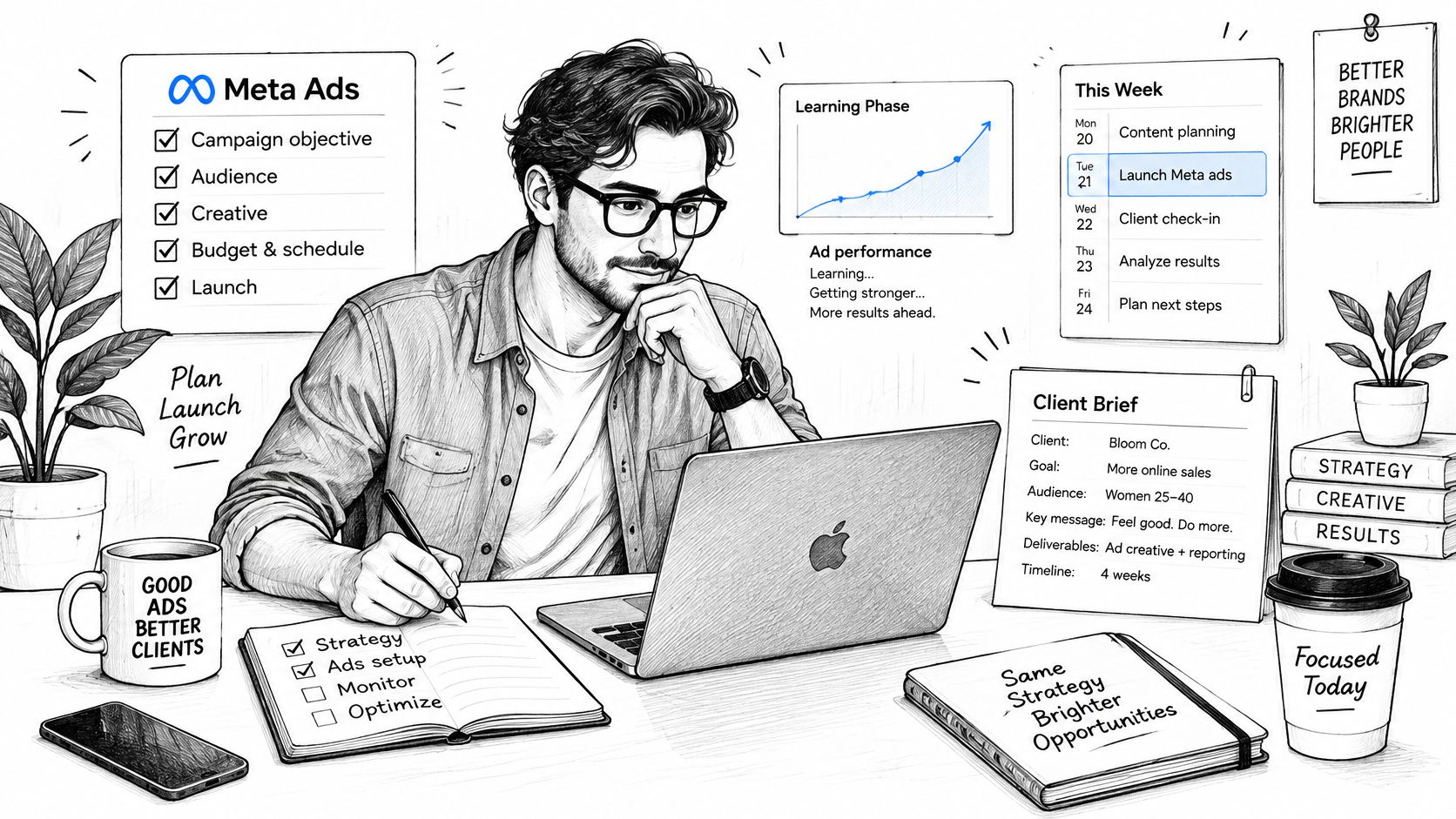
A launch that can learn is one pass you can repeat for every client. Don’t publish live and tidy later.
-
Pick one business event. Purchase or qualified lead, not the cheapest click. Link clicks look busy and teach the system to find clickers. If the client is paid on purchases, that choice is the wrong job.
-
Check the weekly volume before you split anything. Meta’s technical guidance states that the learning period stabilizes around a minimum of 50 optimization events over seven days. If you expect 10 events a week and you split them across five ad sets, each cell gets about two. Those ad sets won’t learn. Merge overlapping audiences instead of adding another cell.
-
Set the campaign objective to that same event. Choose a campaign budget only when the ad sets should share delivery. If they shouldn’t share, the budget belongs on the ad set. The campaign objective is the instruction the delivery system follows, so a traffic objective will not become a sales program.
-
Build one ad set. Use a broad audience, Advantage+ placements unless a placement is unusable, and a schedule you will not keep moving. A moving end date is an edit, and edits during learning throw away the events you just paid for.
-
Add several image and video ads, not one hero. Similar headlines on the same photo are not a test. Different hooks and formats give delivery something real to choose.
-
Set the daily or lifetime budget from the event cost you can afford, not from a vanity reach goal. If the affordable cost can’t support about 50 events in seven days inside this ad set, you don’t have a launch. You have a fragment.
-
Publish everything paused. Open each ad and check the URL, the pixel or Conversions API, and the copy. Resume only the entities someone has reviewed. A paused build can’t spend by accident.
-
Don’t edit audience, creative mix, or budget during the first learning window. Read delivery, event quality, spend pacing, frequency, and cost per result. Change nothing material until that window has a chance to finish.
Practical rule: Duplicate a test. Don’t overwrite the incumbent ad set.
A new entity starts paused, gets reviewed, and only then resumes. The old ad set stays intact, so you can still see what the previous setup did.
How to Check Performance on a Fixed Cadence
Read on a clock, not when a number looks exciting.
Delivery and spend get a daily look. Cost per result and frequency get a look every two or three days. A fuller read waits until the learning window has had its seven days. Judging a creative on a cheap early CPA, with almost no events, names a winner that isn’t one.
Before the first pass, open the Columns menu in Meta Ads Manager. Add optimization event, attribution setting, amount spent, cost per result, and frequency. Save that view. Every later pass should show the same fields in the same order.
On each pass, write down five things: the optimization event, the attribution setting, pixel or Conversions API status, spend, and the experiment dates. A centralized note is what lets a multi-account team tell a real performance change from a measurement change.
Don’t rank mixed windows
Meta’s attribution help says standard attribution can credit conversions from 1-day or 7-day click-through, 1-day view-through, and 1-day engage-through windows. Meta also supports incremental and custom models. Don’t compare CPA or ROAS across ad sets that use different models. Each model counts differently. Use Compare Attribution Settings, or an outside source of truth.
| Setting | Window | What it credits | Comparison rule |
|---|---|---|---|
| Standard click, short | 1-day click | Conversions after a click | Compare only with other 1-day click rows |
| Standard click, longer | 7-day click | Later click-through conversions | Do not mix its CPA with 1-day click |
| View-through | 1-day view | Conversions after an impression | Can over-credit upper-funnel ads |
| Engage-through | 1-day engage | Conversions after an engaged view | Log it before judging ROAS |
| Incremental | Controlled test | Lift versus a holdout | Use for budget shifts, not hourly tweaks |
| Custom | Your definition | A non-standard count | Never rank it against standard CPA |
View-through and engage-through can credit an ad that only came before the conversion. That is assistance, or coincidence, not a caused sale. Changing the model mid-flight breaks the trend. Treat the attribution setting as a campaign control, not a display preference.
For a cleaner test, lock one primary KPI, such as cost per purchase. Fix the run length. Don’t change budget or targeting while it runs.
Same event, same window, one change since the last read, or the comparison waits.
Paste that line into the client note. If any of the three is missing, you don’t have a comparison. You have two different counts sitting next to each other.
When Reported Conversions Are Not Incremental
Meta Ads Manager can show a strong purchase ROAS while Shopify or the CRM is flat. That gap is the whole argument. Reported conversions can be demand the business would have booked anyway.
A recent industry report describes an incrementality test in which Advantage+ generated only 17% of the conversions attributed by Meta. Platform ROAS can substantially overstate causal impact. I wouldn’t move a large budget on the day the dashboard looks best.
Three rungs, three jobs
Use each source for the decision it can support.
| Source | What it can prove | Use it for | Do not use it for |
|---|---|---|---|
| Ads Manager conversions | Delivery and optimization signal | Daily pacing and creative tests | Proof the business grew |
| Conversion lift or holdout | Incremental conversions versus control | A large budget increase or cut | Hour-by-hour bid tweaks |
| Blended revenue or CRM leads | Outcomes the business booked | Weekly allocation across accounts | Declaring a single ad the cause |
| Marketing-mix analysis | Channel contribution over longer periods | Quarterly budget split across channels | Tuning a single ad set day to day |
Ads Manager is the optimization signal. A conversion-lift study, or a treatment-versus-control holdout, is the causal check. Blended revenue or qualified leads are what you allocate. If you need a plain walk-through of windows before you design that holdout, choosing a marketing attribution model is a clear starting point. The performance metrics you watch daily still matter. They just don’t prove the business grew.
Read the gap by situation. Prospecting usually inflates more than retargeting. View-heavy objectives inflate more than click-heavy ones. A new geography inflates more than a mature home market. Privacy limits and modeled conversions make this a standing check, not a one-off audit.
If the holdout fails, keep the ad set for learning signals and cap the spend. If the holdout confirms lift, scale inside the existing budget ceiling and change one variable. Write this on the change request before anyone touches the budget: what evidence, other than Ads Manager, says this spend creates demand?
How to Edit Budgets and Delivery Status
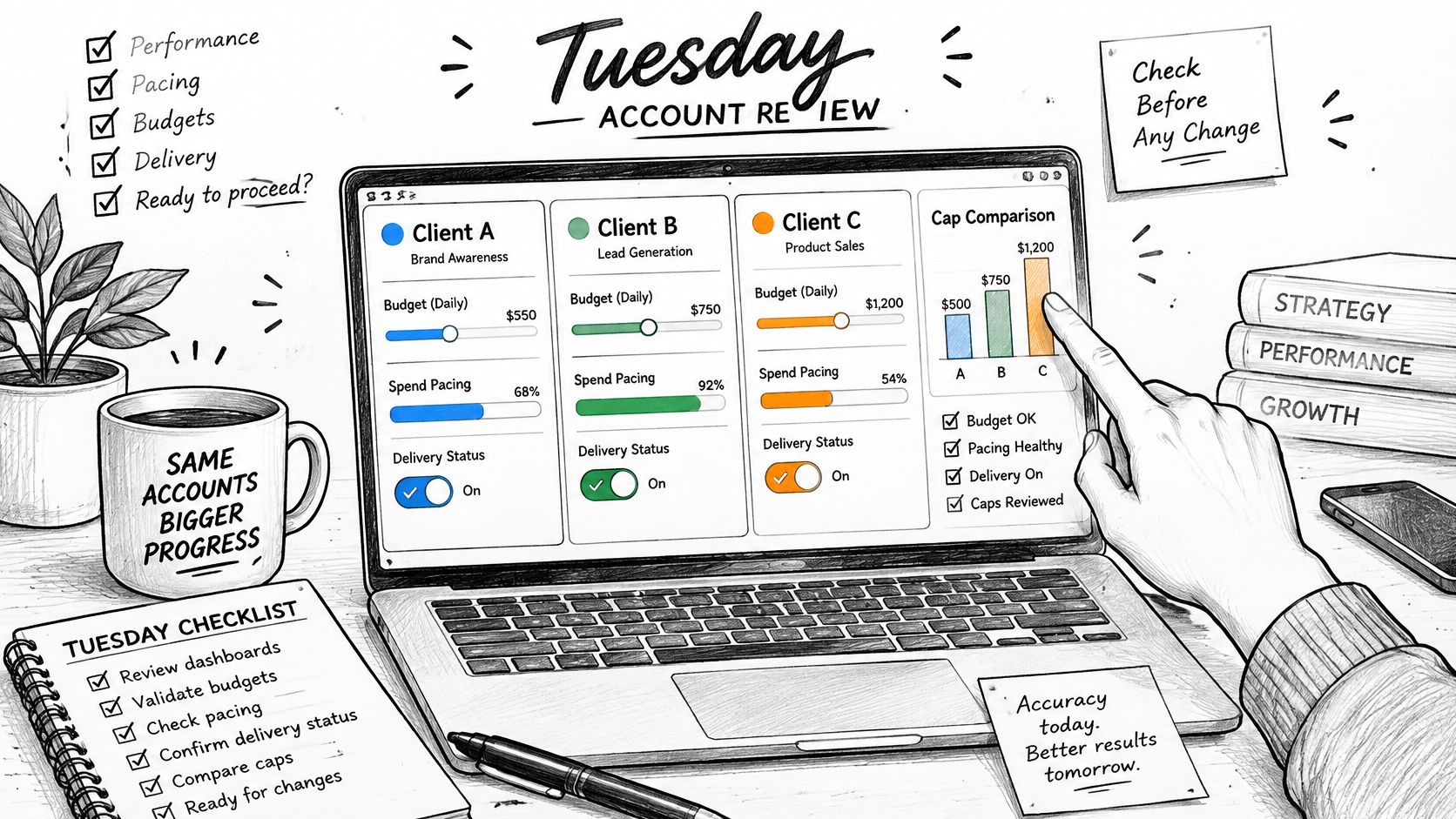
It’s Tuesday. Three client accounts are pacing hot, and the instinct is to fix all of them in one sitting. Read first.
-
Read spend against the daily or lifetime cap before you edit. Hot pacing is a fact about the cap, not a reason to rewrite the ad set.
-
Change one major variable. Budget, or status, or schedule. Never all three. You can’t read a result if three things moved.
-
Raise a daily budget in a modest step when cost per result is stable and delivery is limited by budget. A large jump can send the ad set back into learning. The budget change should be small enough that you could explain it in one sentence.
-
Cut or pause the ad set when frequency climbs and cost per result breaks the client ceiling. If only one creative failed, pause that ad. Leave the campaign running.
-
Treat resume as a spend switch. Resume only entities someone already reviewed. A paused draft is not approved just because the button is there.
-
Extend an end date only with the extra spend accepted. Moving an ad set’s end date later, or clearing it, adds days of possible spend. The budget remains the ceiling.
-
Archive only when the test is finished. Say it out loud: archive is close to permanent compared with pause. Pause is the rollback. Archive is how you close a finished test.
-
Write the before value, the after value, the account, and the reason in the same sitting. If you can’t write those four, you aren’t done with the edit.
A bid edit feels like control. It can push an ad set to spend its full budget. It should not spend past that budget. The ceiling is still the budget you set.
A short walk-through of the delivery screen helps when you’re teaching a junior buyer the same Tuesday check.
Tomorrow morning, check pacing. Don’t open a new round of edits because the account looks quiet.
Write Rules and the Five-Line Change Note
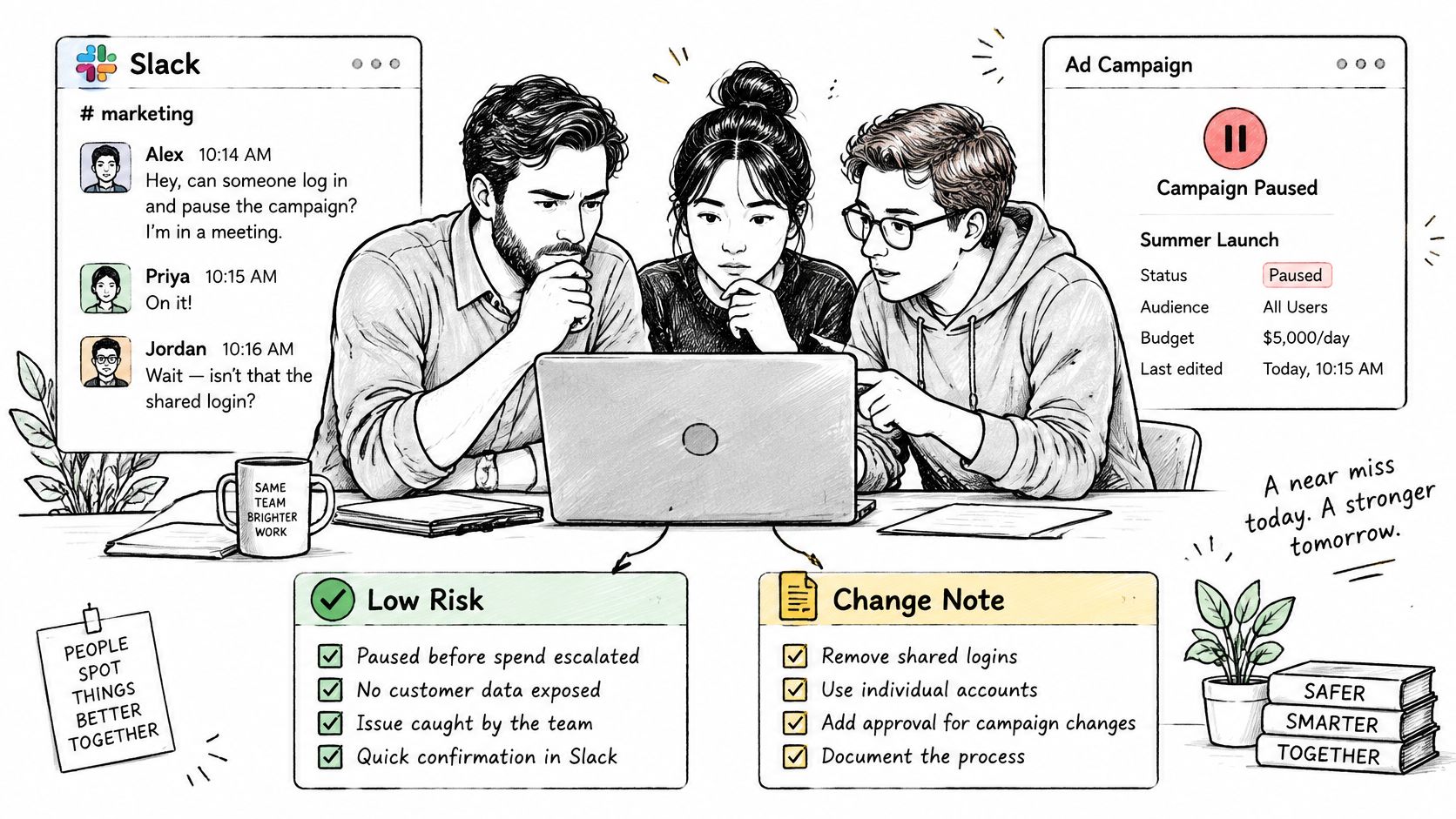
Three people, one shared login, one Slack thread. Someone pauses “the sale.” It was the other client’s sale. That near miss is a permissions problem, not a clumsy click.
Split every write into two lists before anyone, or any agent, gets a keyboard.
Low risk, inside a pre-agreed ceiling:
- Pause an ad that is already live and clearly the weak one.
- Resume an entity that a person already approved.
- Move budget only inside a written cap for that account.
High risk, human review only:
- Targeting on an ad set that already exists.
- Bid strategy changes.
- New people on the account.
- Structural rebuilds, including a new objective or a new pixel.
Meta’s permission split is the model for the human split. ads_management lets someone read and manage an authorized ad account. ads_read covers Insights reporting and server-side events. Give each operator the narrowest access that still lets them work. Advertisers stay responsible for how service providers protect Meta advertising data, restrict its use, and keep it confidential. A budget ceiling in the client brief is part of that duty, not a nice extra.
The five lines
Before any write, record five lines. If one line is blank, the campaign stays paused.
- Account name. The legal client, not the nickname in Slack.
- Entity. Campaign, ad set, or ad, with the ID you can find again.
- The one variable changing. Budget, status, or schedule. Not a bundle.
- Evidence outside Ads Manager. The holdout, the CRM, or the blended revenue note. Platform ROAS alone doesn’t fill this line.
- How you undo it. Pause is the rollback. Archive is close to permanent, so it is not an undo.
Then log who asked, the before and after values, and whether the write succeeded. That log is the proof. A shared login has no actor, so it has no proof.
If you cannot name the account and the rollback, you do not publish.
New campaigns, ad sets, creatives, and ads should be created paused and should spend only after a separate request to resume them. That is how we keep a build from spending while someone is still checking the URL. Every change to a campaign, ad set, or ad should land on an activity record with the ad account, what changed, who asked for it, and whether it worked. Automation that picks placements or creative doesn’t remove the five lines. It makes the lines more important, because the click is faster than the review.
The next login
One account. One paused build, or one logged budget change. A person reviews it before anyone hits resume. If the five lines aren’t filled, you close the tab. The sale can wait one more check. A wrong-account pause cannot be unsent.
AdCrunch is the write layer for teams who run Meta Ads Manager across many accounts. We connect the accounts, keep new builds paused until you resume them, and put every budget, status, and schedule change on a permanent activity log. If you want that control on the next login, start with AdCrunch.